Featured posts in Hugo
Diffdiff and Emoji Kitchen
I just found two tools:
- diffdiff is a fast, private way to compare two pieces of text, created by Joe Kaptur. It’s interface is so clean and good.
- An impressive emoji-mixing site called Emoji Kitchen, created by Xavier Salazar.

Thunder and Unicorn mixed by Emoji Kitchen
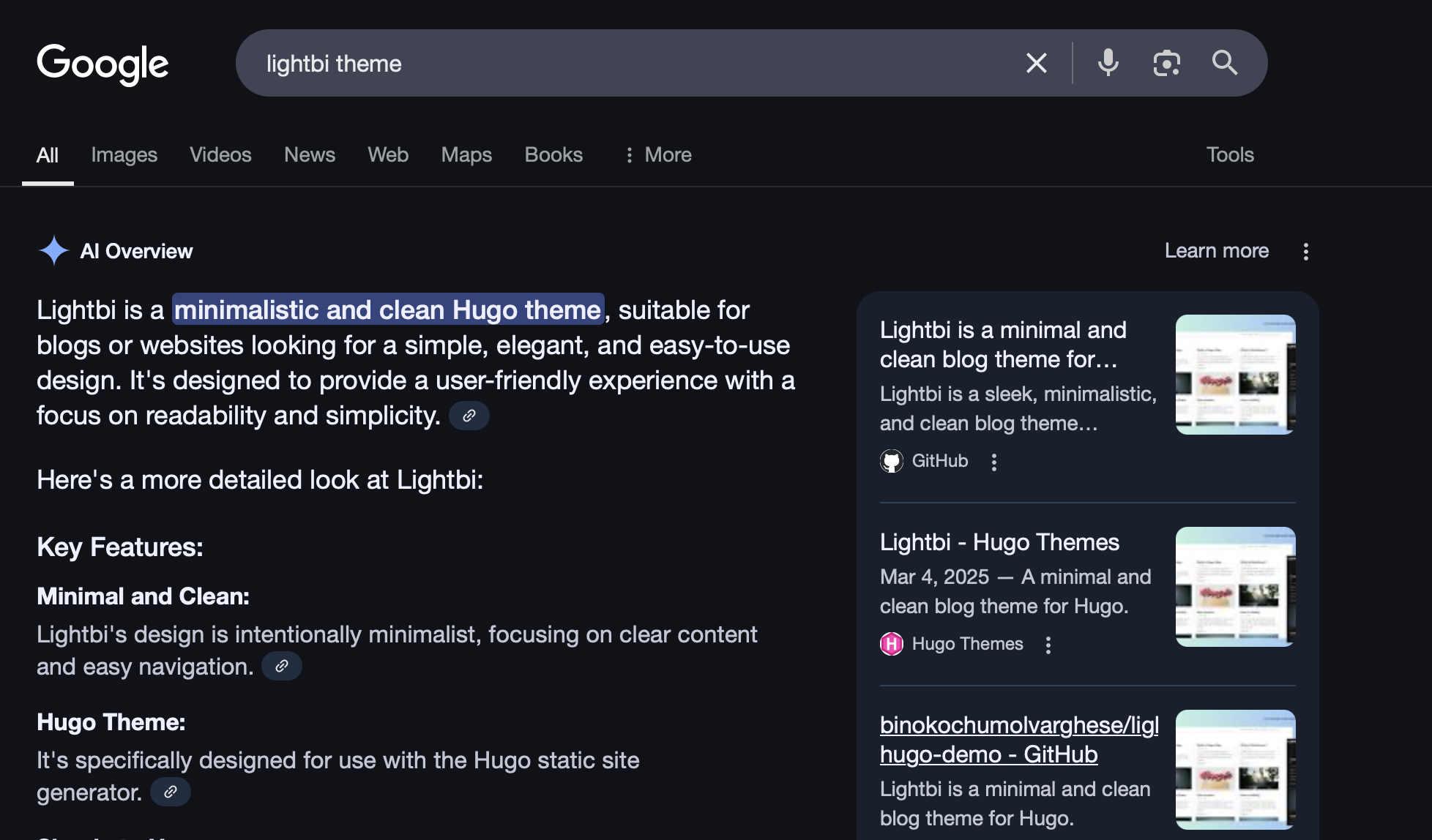
Google AI Overview
I don’t search for things as much as I used to. These days, I just go straight to ChatGPT. I don’t feel like Googling and clicking through multiple pages to find the best answer. I ask ChatGPT, and most of the time, the results are satisfying.
I’ve heard that traditional Google searches are declining. But now, they’ve introduced AI Overviews at the top of their results. I think it’s a good idea—because we get a quick summary of what we’re looking for, along with links to other websites. Yes, I think it’s a good move.

Custom folder Icons with Material Icon Theme
Install Material Icon Theme
In settings.json:
"material-icon-theme.folders.associations": {
"folder-name": "Home"
}
folder-name is the folder name and Home is the icon.
You can find the files and folders icons in here.
Sticky footers
To make a sticky footer in the Bootstrap you can use the below.
<body class="d-flex flex-column min-vh-100">
<main class="flex-fill">
<!-- Your page content here -->
</main>
<footer class="bg-dark text-white text-center py-2">
<!-- Your footer content here -->
</footer>
</body>
d-flex flex-column min-vh-100on : makes the body fill the viewport and act like a vertical Flexbox container.flex-fillon : makes the content area take up all available vertical space, pushing the footer down.footer: stays at the bottom even with short content.
Upgrade Hugo
To install or update Hugo extended using HomeBrew, you can use the below,
Install the extended version:
brew install hugo@extended
Or if you already have it and just want to upgrade:
brew upgrade hugo@extended
Check the version to using hugo version.
Modernization of Apps
One of the main topics discussed in the seminar I attended was modernizing legacy applications.
Legacy applications are typically monolithic in nature, making it difficult to scale or integrate new features quickly. The monolithic apps ruled the software industry for a very longer time, but now people are moving (already many moved) to its great alternative, the microservice architecture.
I’ve come across monolithic applications that are tightly coupled with environments like Oracle or .NET, where growth can become a painful process. Over time, these systems tend to become slow, expensive to maintain, and resistant to change.
Links
To PostgreSQL
Hide details in the mobile screen with Bootstrap
In the feed page I need to hide the dotted line in the mobile screens. So here you can see how its can be done in Bootstrap.
d-none d-md-flex: shows only on md and up (desktop/tablet)d-block d-md-none: shows only on mobiletext-nowrap: prevents text from wrapping
<div class="mb-3">
<!-- Desktop layout -->
<div class="d-none d-md-flex align-items-center">
<a href="{{ .Permalink }}" class="text-decoration-none fw-medium me-2 text-nowrap">
Sample heading
</a>
<div class="flex-grow-1 border-bottom dotted-line mx-2"></div>
<p class="text-muted small text-nowrap mb-0">Date</p>
</div>
<!-- Mobile layout -->
<div class="d-block d-md-none">
<a href="{{ .Permalink }}" class="text-decoration-none fw-medium d-block mb-1">
Sample heading
</a>
<p class="text-muted small mb-0">Date</p>
</div>
</div>