വിട പറഞ്ഞവർ നാം
വിദൂരതയിലേക്ക്
നടന്നകന്നവർ നാം.
വിധിക്ക് വിധേയപ്പെടാൻ
വിധിക്കപ്പെട്ടവർ നാം,
വീണ്ടും കാണാതെ
മൃതിയിൽ വിസ്മൃതി
പൂകട്ടെ നാം.
വിട പറഞ്ഞവർ നാം
വിദൂരതയിലേക്ക്
നടന്നകന്നവർ നാം.
വിധിക്ക് വിധേയപ്പെടാൻ
വിധിക്കപ്പെട്ടവർ നാം,
വീണ്ടും കാണാതെ
മൃതിയിൽ വിസ്മൃതി
പൂകട്ടെ നാം.
I have came across the following article recently.
Software is a bit like this house plant: its wellbeing depends on the folks who constantly tend it. Without us around, it gradually erodes.
I used Google Orkut in the past and I loved it at that time. It was fun to send messages in the scrapbook, cool usernames, and enjoy all the other social media features that felt cool back then. But after the rise of Facebook and other giants, Google shut down Orkut. They sent us an email with a link to download our data archive and said goodbye. I still have those emails from Orkut, and when I read them recently, they gave me a nostalgic happiness.
What I realize now is that everything eventually comes to an end when the gardeners stop tending their gardens. We cannot take it for granted forever. Today we have access to some of the most amazing things in human history. We need to be grateful and enjoy the beauty of it. So keep on gardening, and cherish your fellow gardeners.
നിലാവ് വരുന്നപോൽ
ഒരു വൈകുന്നേരം
മരണമെന്നേ തേടി വരും.
വിട പറയുന്നതിന് മുൻപ്
ഒന്നുകൂടെ നമുക്ക്
മുറുകെ കെട്ടിപ്പിടിക്കാൻ
കാലം അവസരം തരട്ടെ
I know I must
endure this suffering,
For there is no other way.
But I don’t know
how to bear the pain
The ache in my heart is real,
And it’s killing me
inch by inch.
I have lost
the last shred of courage
Yet, beyond this pain,
I hope to remain,
reborn as Buddha again.
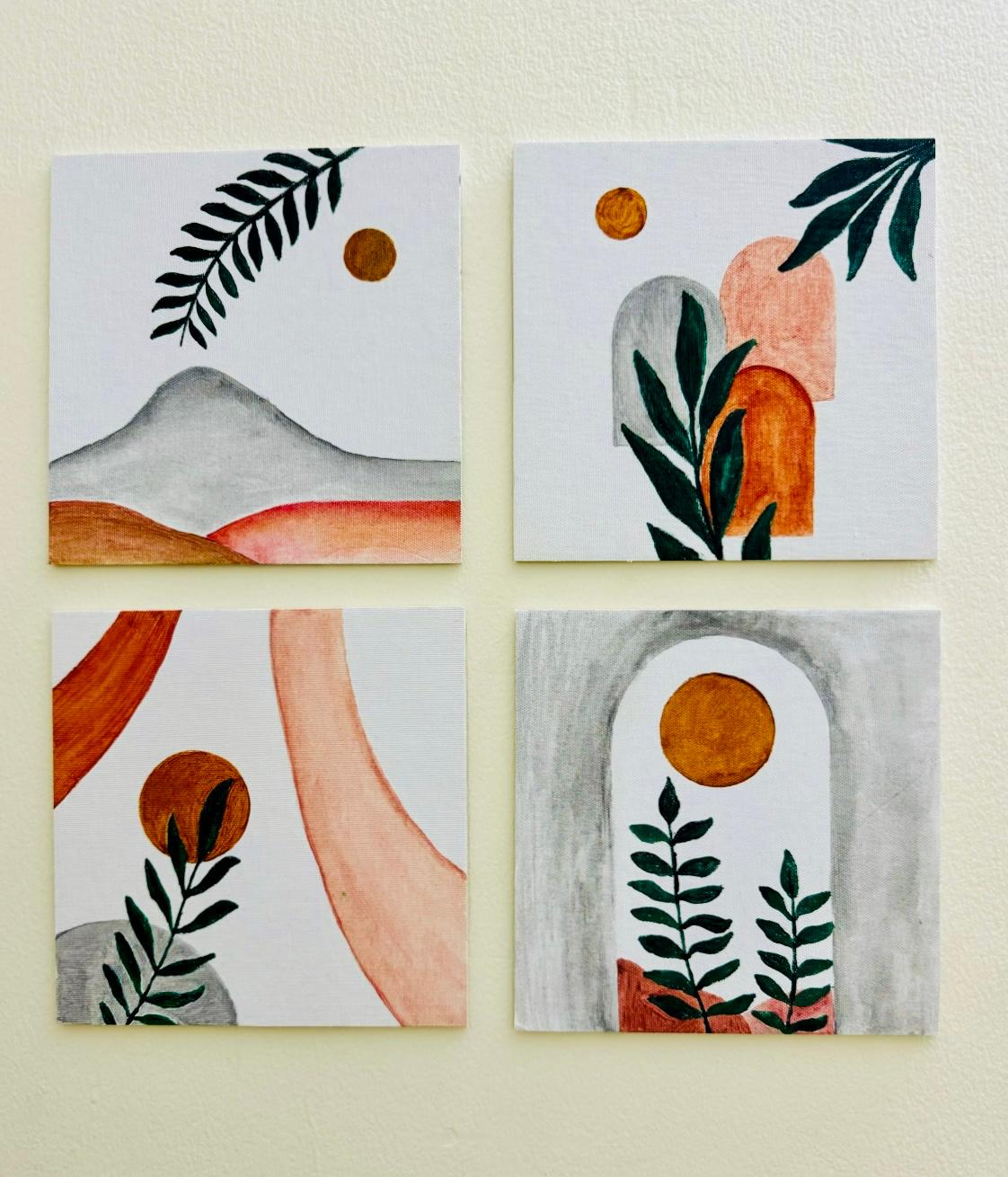
Sometimes we don’t realise the beauty of something we created until someone recognises it.
Maybe we are too humble to acknowledge our work is as good as someone else’s, or maybe we don’t have enough confidence to take pride in something we created.
I don’t know why!
PS: These paintings were done by my wife, and yet she still believes she can’t draw.
Let me know your comments on the above. Thank you!
I am the wizard
who can make you dream,
fall in love,
dance in the rain,
find peace,
and enlighten you.
Yes, I am a poet.
നിങ്ങൾ മതങ്ങളിലേക്ക്
ചുരുങ്ങി മരിക്കുമ്പോൾ,
ഞങ്ങൾ മനുഷ്യരിലേക്ക്
പടർന്ന് അമരന്മാരാകും.
സമരസൂര്യൻ
അസ്തമച്ചോപ്പിൽ
അലിയുമ്പോൾ,
അയാൾ ഉയർത്തിയ
ആശയത്തിന് കീഴെ
നാമിനിയും പോരാട്ടം
തുടരും.
SELECT *
FROM TABLE1
WHERE ID NOT IN (
    SELECT ID
    FROM TABLE2
)
When I ran the above query I know the condition will give me the results, because the data exists in the TABLE1 which is not in TABLE2. But I didn’t go any results. I got surprised. After I a while I found out the issue.
So the reason is that ID column in the TABLE2 have null values. If any value of ID in the subquery is NULL, then the entire NOT IN clause fails to match anything. This is standard SQL behavior because NULL makes the whole comparison unknown.
Solution:
NOT NULL condition in the sub-query as below:SELECT *
FROM TABLE1
WHERE ID NOT IN (
SELECT ID
FROM TABLE2
WHERE ID IS NOT NULL
)
NOT EXISTS:SELECT *
FROM TABLE1 T1
WHERE NOT EXISTS (
SELECT 1
FROM TABLE2 T2
WHERE T1.ID = T2.ID
)
The NOT EXISTS will automatically handle null values and safer to use.